
Selected work / Imagenix
Imagenix.
From images to datasets.
Imagenix is my full-stack image dataset project: a Next.js workspace connected to a NestJS API and a Python FastAPI service for AI-powered image processing.
- PROJECT
- Imagenix / Image dataset tooling
- FOCUS
- Full-stack development & computer vision
- STACK
- Next.js · NestJS · FastAPI · PyTorch
01 / The problem
More than a folder of images.
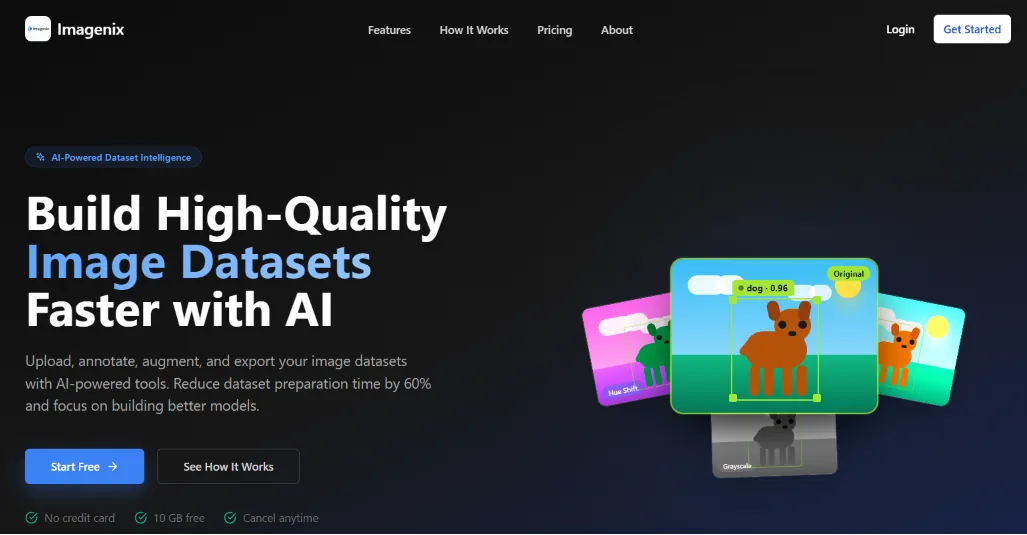
Preparing an image dataset involves several different tasks: uploading source images, adding annotations, creating variations, and exporting data in the format a model expects. Each step needs to remain connected to the dataset it belongs to.
Imagenix brings those steps into one web application. The workspace connects dataset management to AI-powered processing and exports, so the interface can support the whole preparation workflow.
02 / The workflow
Upload. Annotate. Augment. Export.
The project connects a web workspace to tools for preparing model-ready image datasets.
- Upload and manage images as part of a dataset.
- Use Grounding DINO for automatic annotation.
- Use Stable Diffusion and ControlNet for generative augmentation.
- Export annotations in COCO, YOLO, or Pascal VOC format.
These are distinct jobs within the same product. The web interface gives the workflow a common entry point, while the Python service handles the machine-learning work.
03 / The implementation
A web app with a Python ML service.
The monorepo contains a Next.js frontend, a NestJS API, and a FastAPI machine-learning service. That separation lets the browser-facing application and Python model code live in the same project while keeping their responsibilities distinct.
PostgreSQL supports application data. Redis and BullMQ support background jobs, and MinIO supports image storage. PyTorch and the image models sit within the machine-learning part of the stack.
For a full-stack developer, the work spans more than the interface: the API, stored images, queued jobs, and model output all need to fit the same dataset workflow.
04 / Explore the project
Look beyond the screenshot.
The repository contains the application code and setup instructions. Explore how the frontend, API, and machine-learning service fit together, then follow the dataset workflow through the project.
If you're evaluating my work for a developer role or a similar web and AI project, start with the source and the rest of my portfolio.
Read the Imagenix sourceHave a similar
project in mind?
I'm a remote full-stack developer working with web applications, backend integrations, and AI workflows, for teams anywhere.